The dashboard
One screen to watch — and run — everything.
You're never guessing. The GrootDesk dashboard shows every conversation, what it cost, what customers asked about, and what needed a human — and lets you tune the agent yourself, no code required.
The real thing
A look inside the live dashboard.
Real screens from a production GrootDesk deployment. Customer names and emails are blurred to protect privacy — everything else is exactly what you'd see.
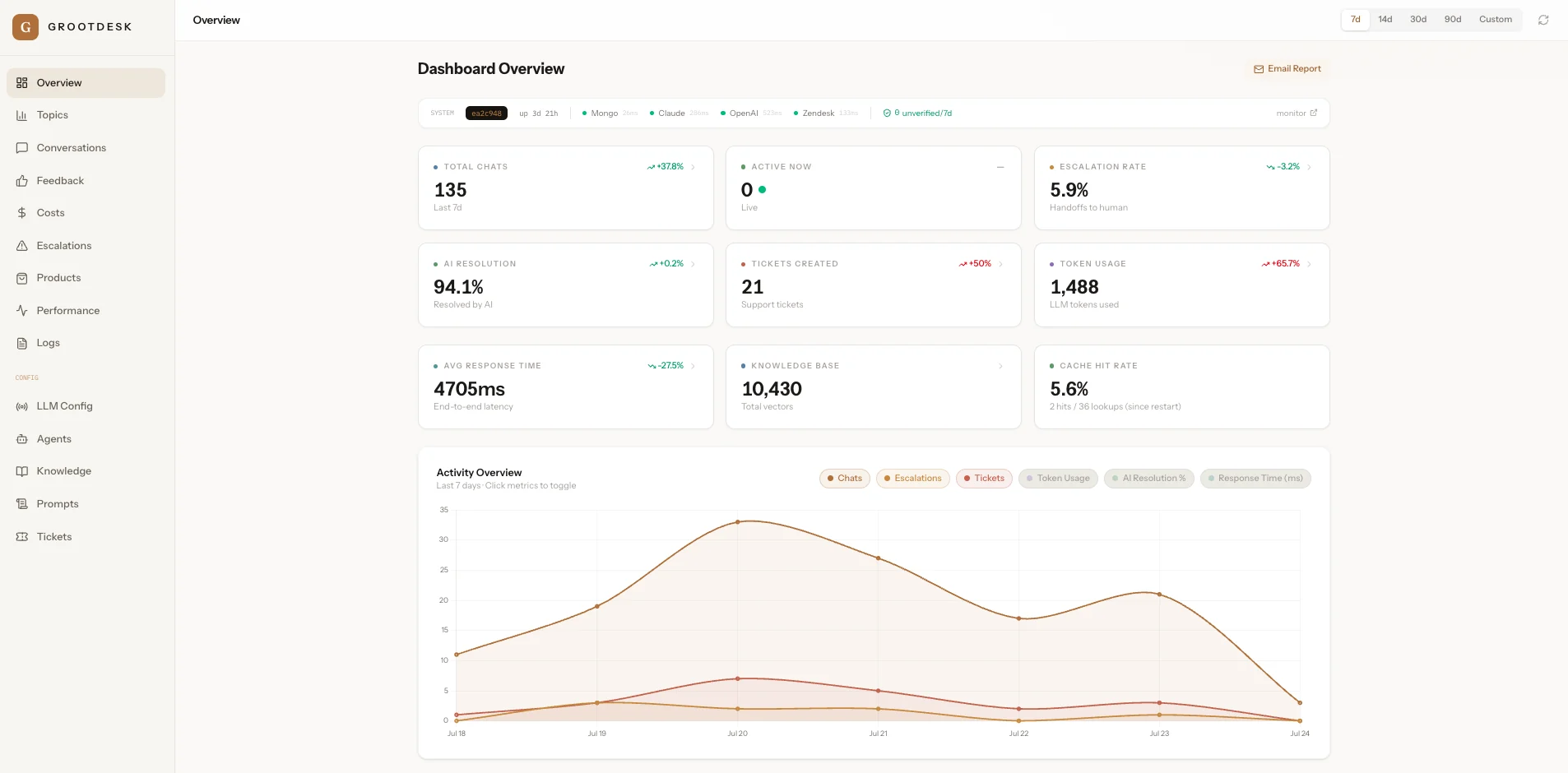
Overview — your daily pulse
Total chats, live activity, AI-resolution rate, escalations, tickets created, token usage, average response time and cache hits — plus a 7-day activity graph. One glance tells you how support is doing.
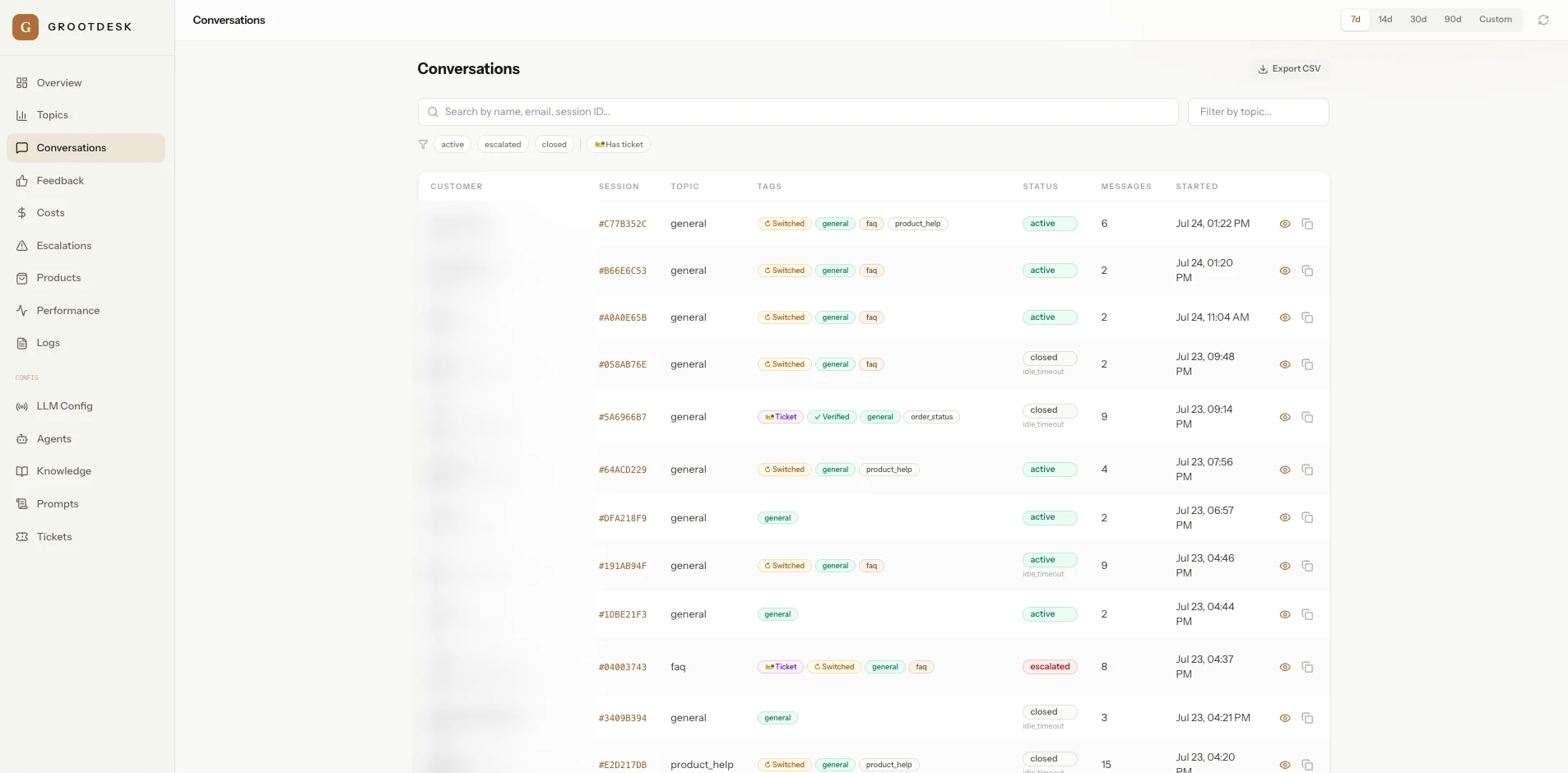
Conversations — every thread in one place
Searchable by name, email or session and filterable by active, escalated, closed or has-ticket. Topic, tags, status and message count at a glance — open any thread to read the full exchange.
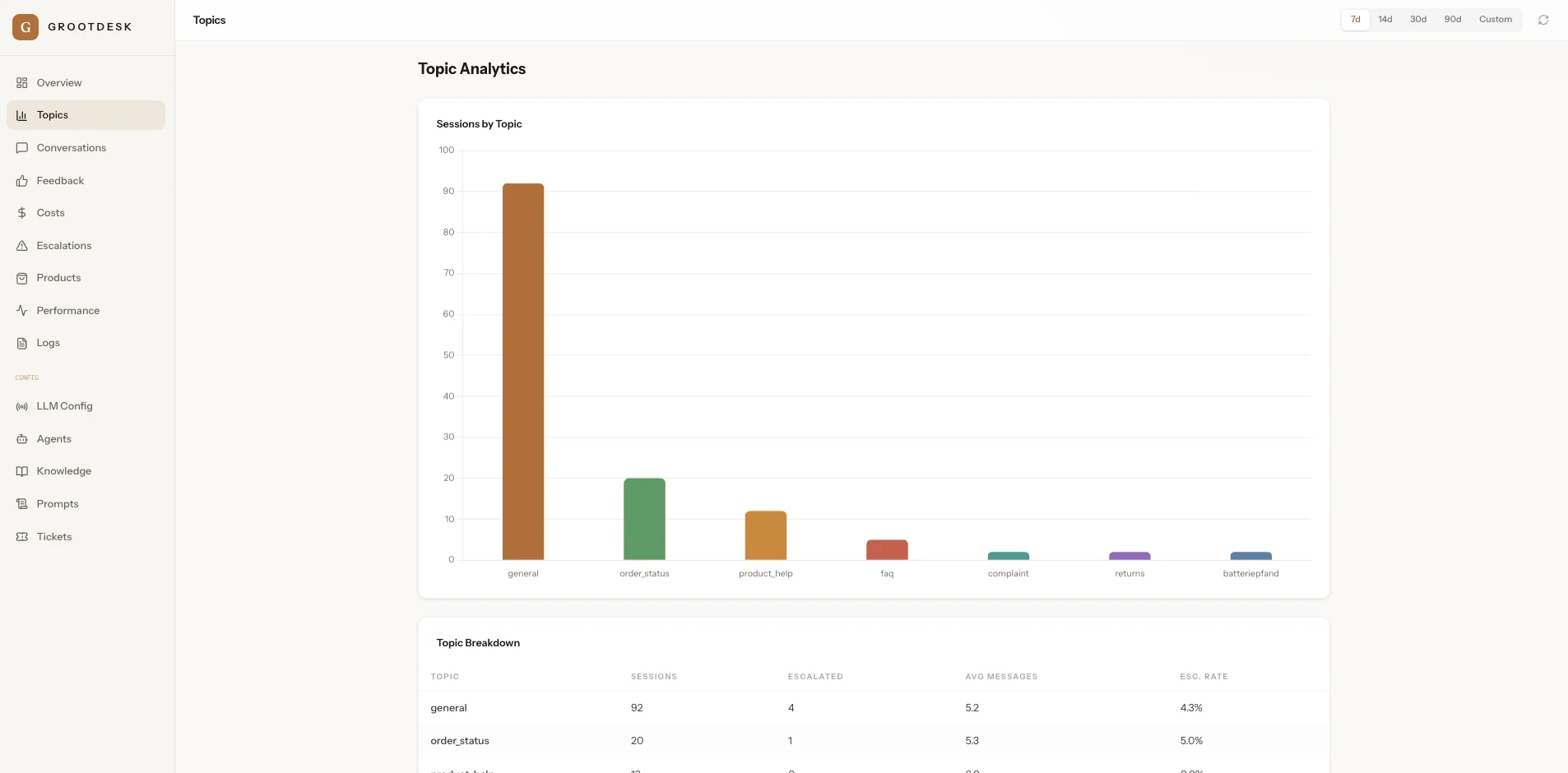
Topics — what customers actually ask
Sessions grouped by topic — order status, returns, product help, FAQ, complaints — with the escalation rate for each, so you know exactly where to improve the agent or your policies.
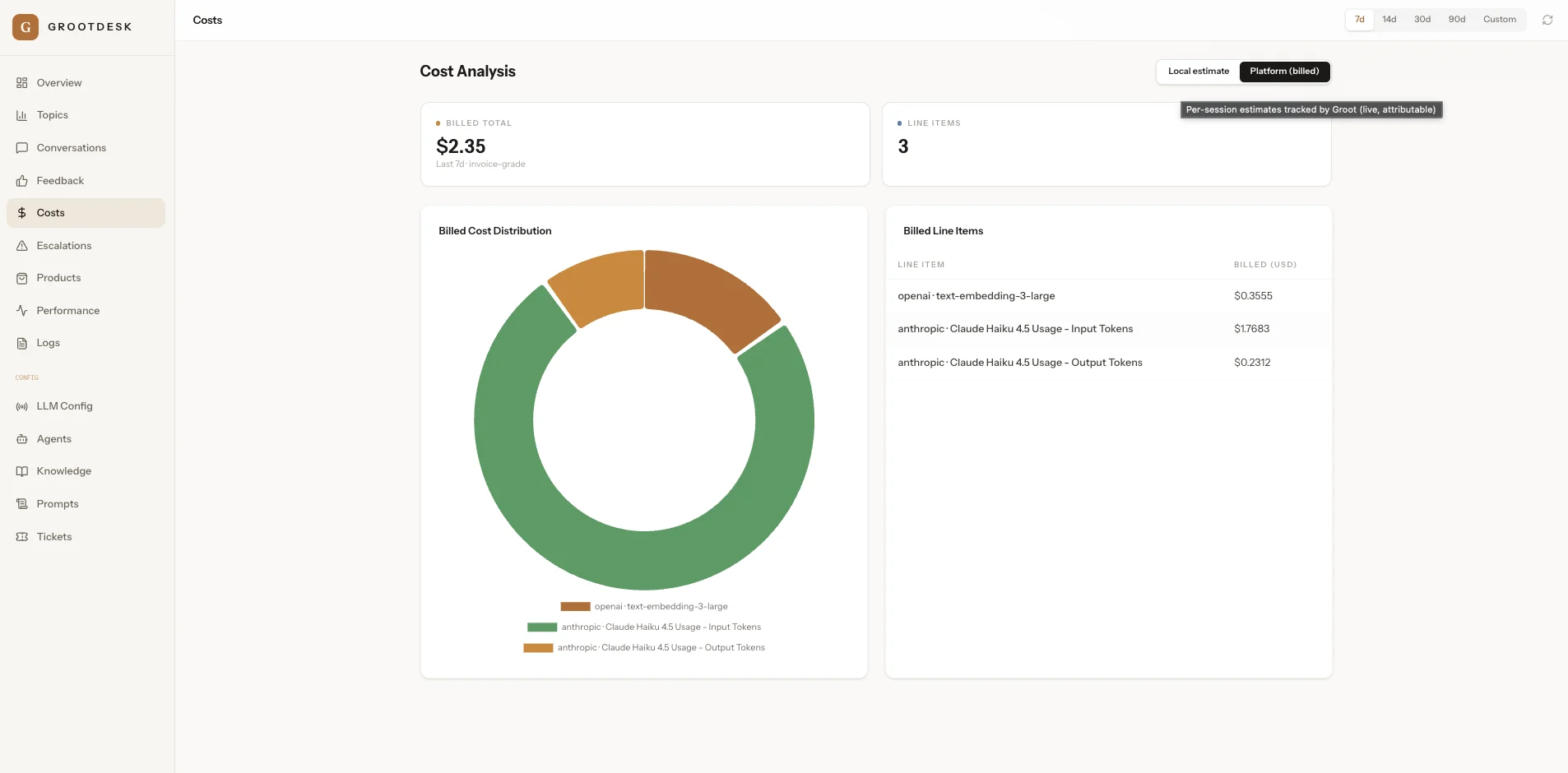
Costs — invoice-grade, line by line
Exactly what each provider billed — OpenAI embeddings, Claude input and output tokens — so the cost per conversation is never a mystery. Toggle between live local estimates and billed platform totals.
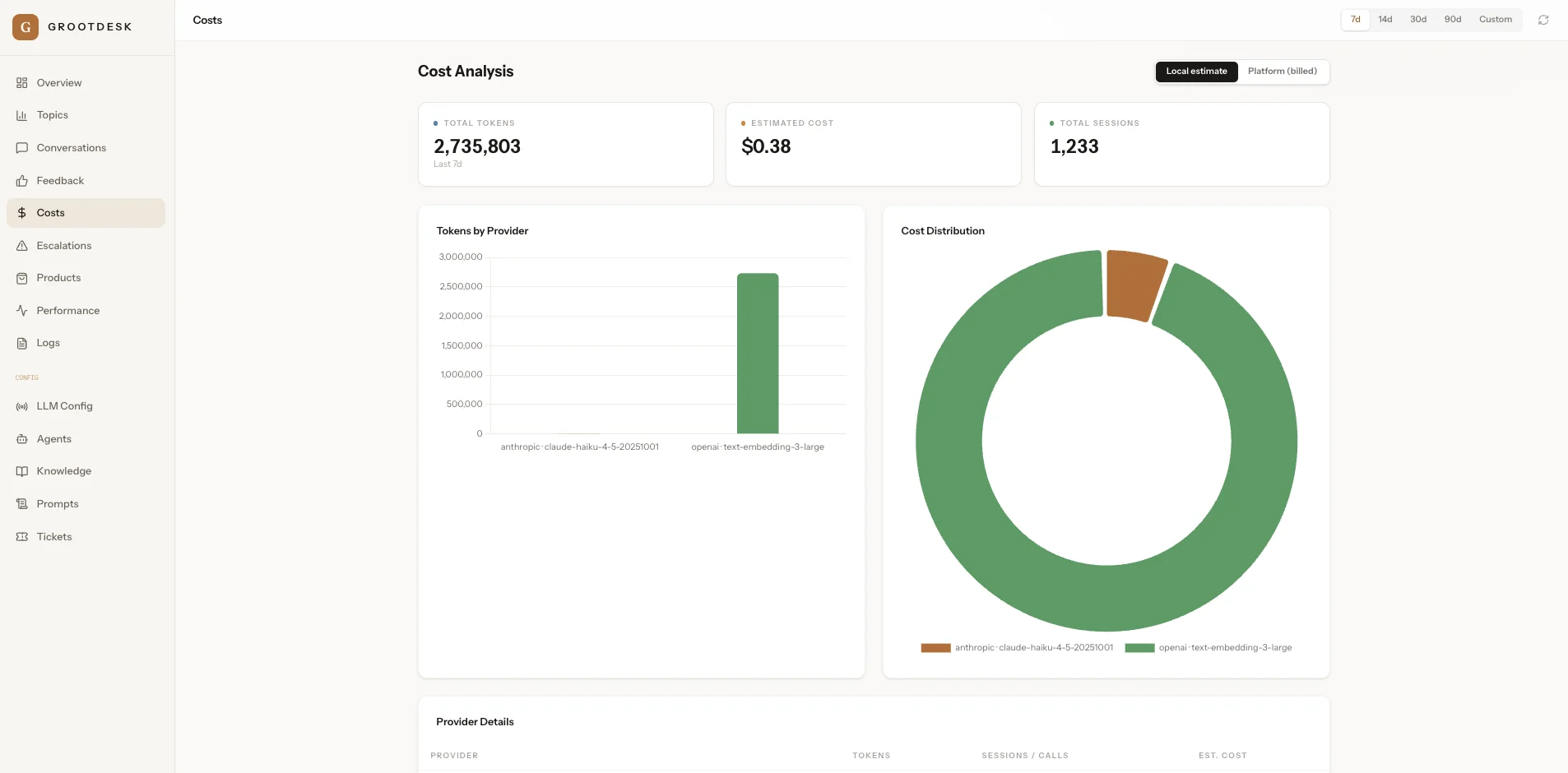
Usage — tokens & spend by provider
Total tokens, estimated cost and sessions, broken down by provider and model. Track spend live, before the invoice ever lands — and see exactly where smart routing is saving money.
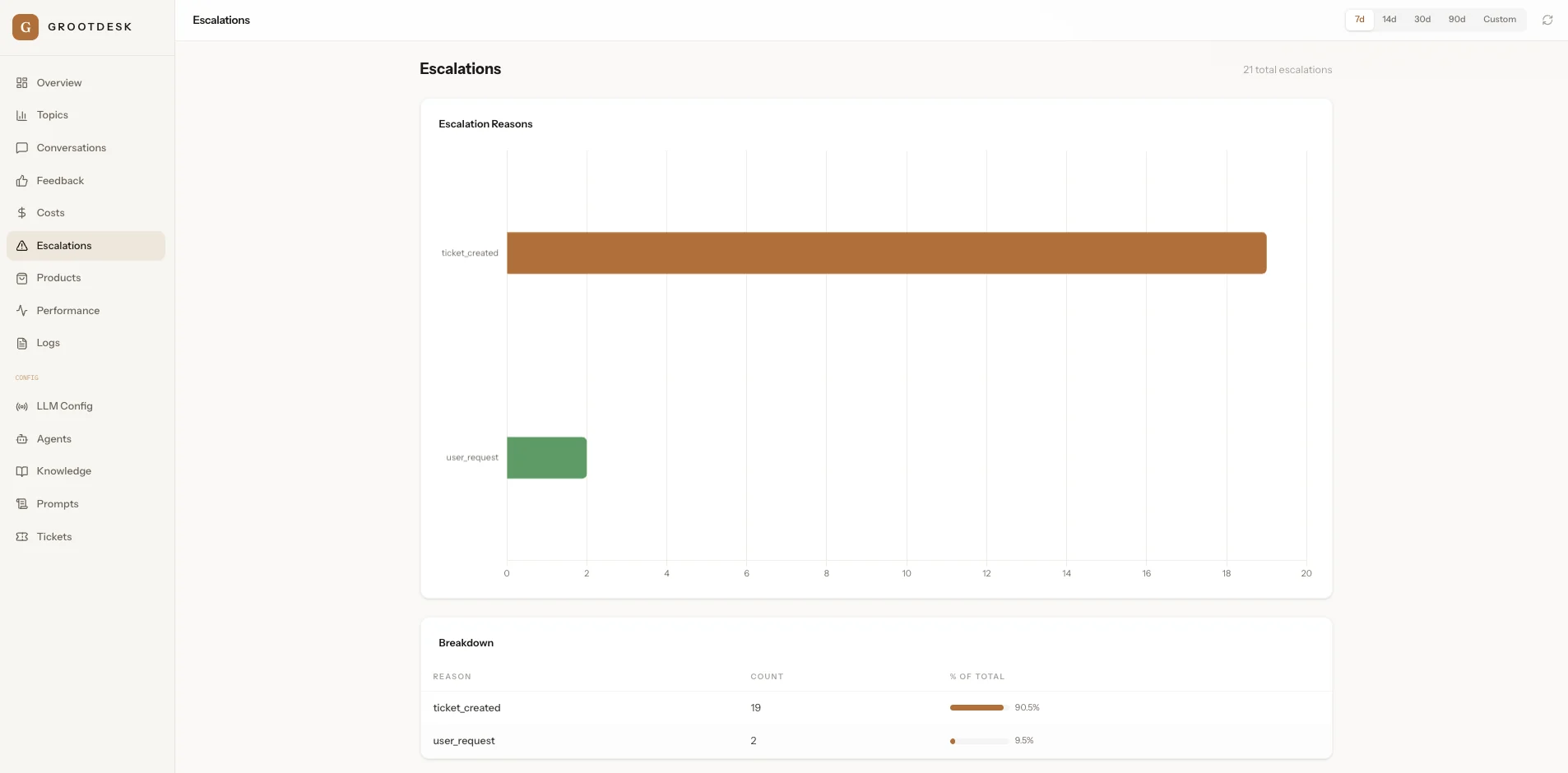
Escalations — every handoff, and why
Each time the AI handed off to a human, with the reason (ticket created vs. user requested) and the share of the total. Keeps the handoff rate honest and shows what the agent should learn next.
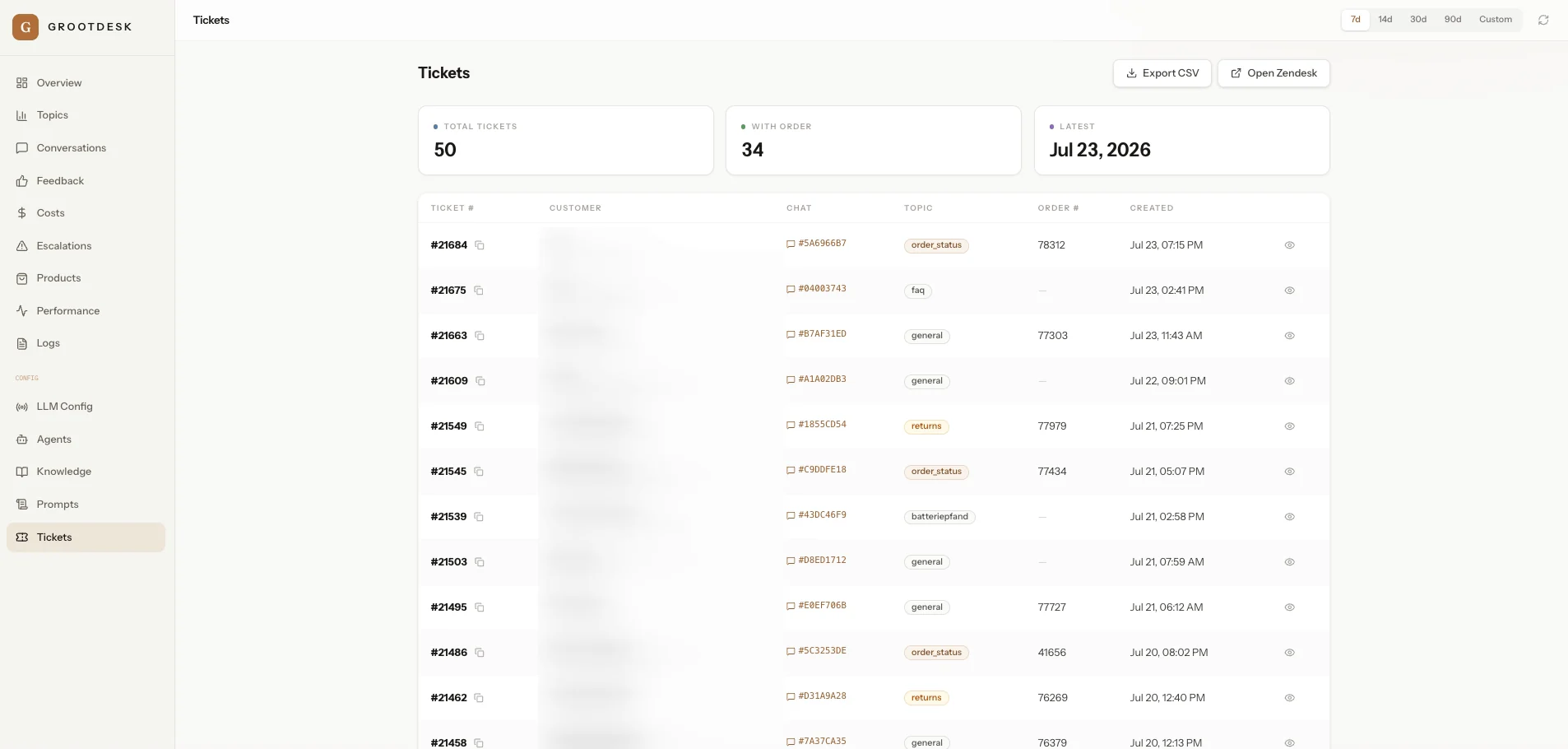
Tickets — synced to your helpdesk
Support tickets the agent opened, pushed straight into your helpdesk (e.g. Zendesk), each linked to its order number and originating chat — with a one-click "Open in Zendesk".
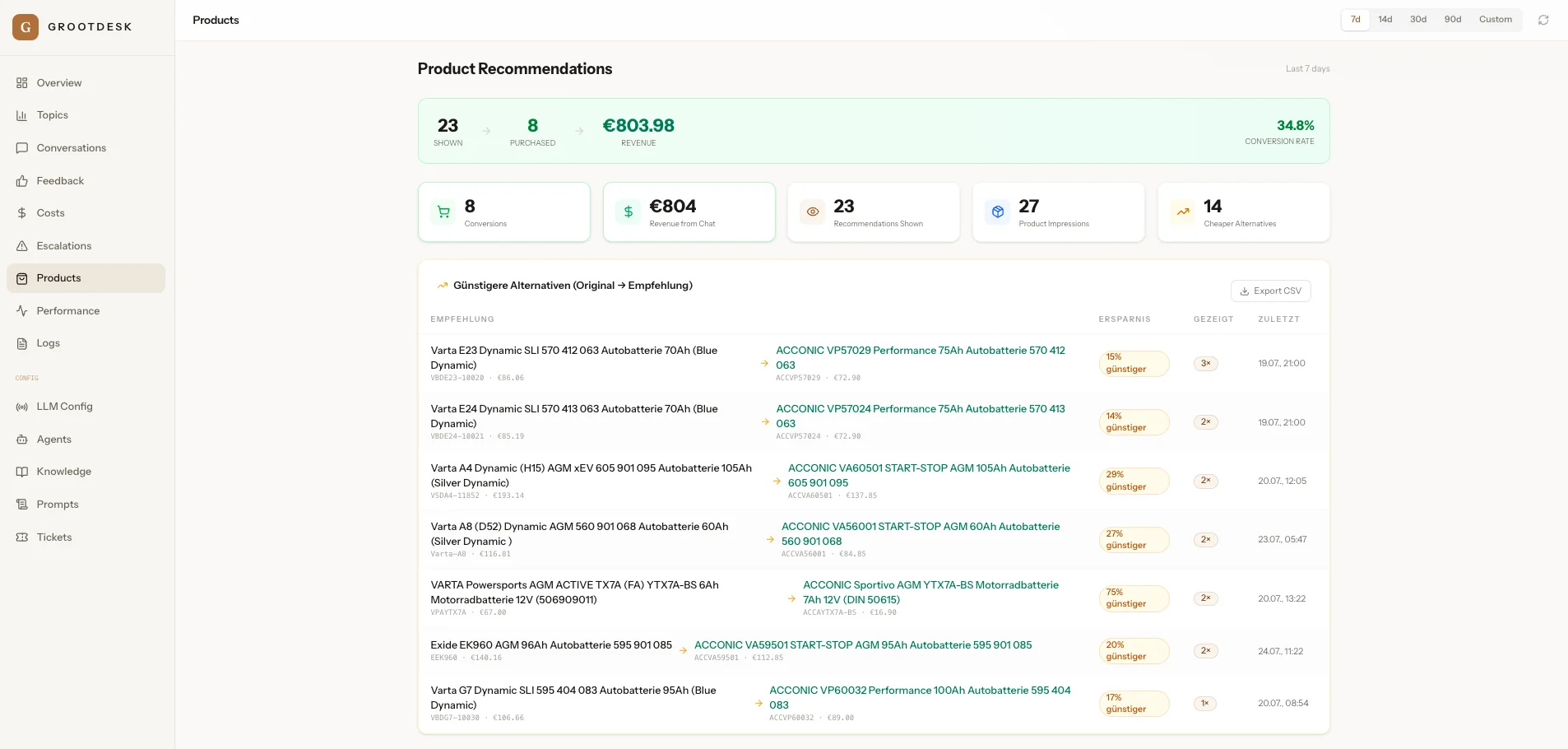
Recommendations — support that sells
When it helps, GrootDesk suggests the right — or a cheaper — product in chat. This tracks impressions, conversions, revenue and conversion rate, turning your support desk into a measurable sales channel.
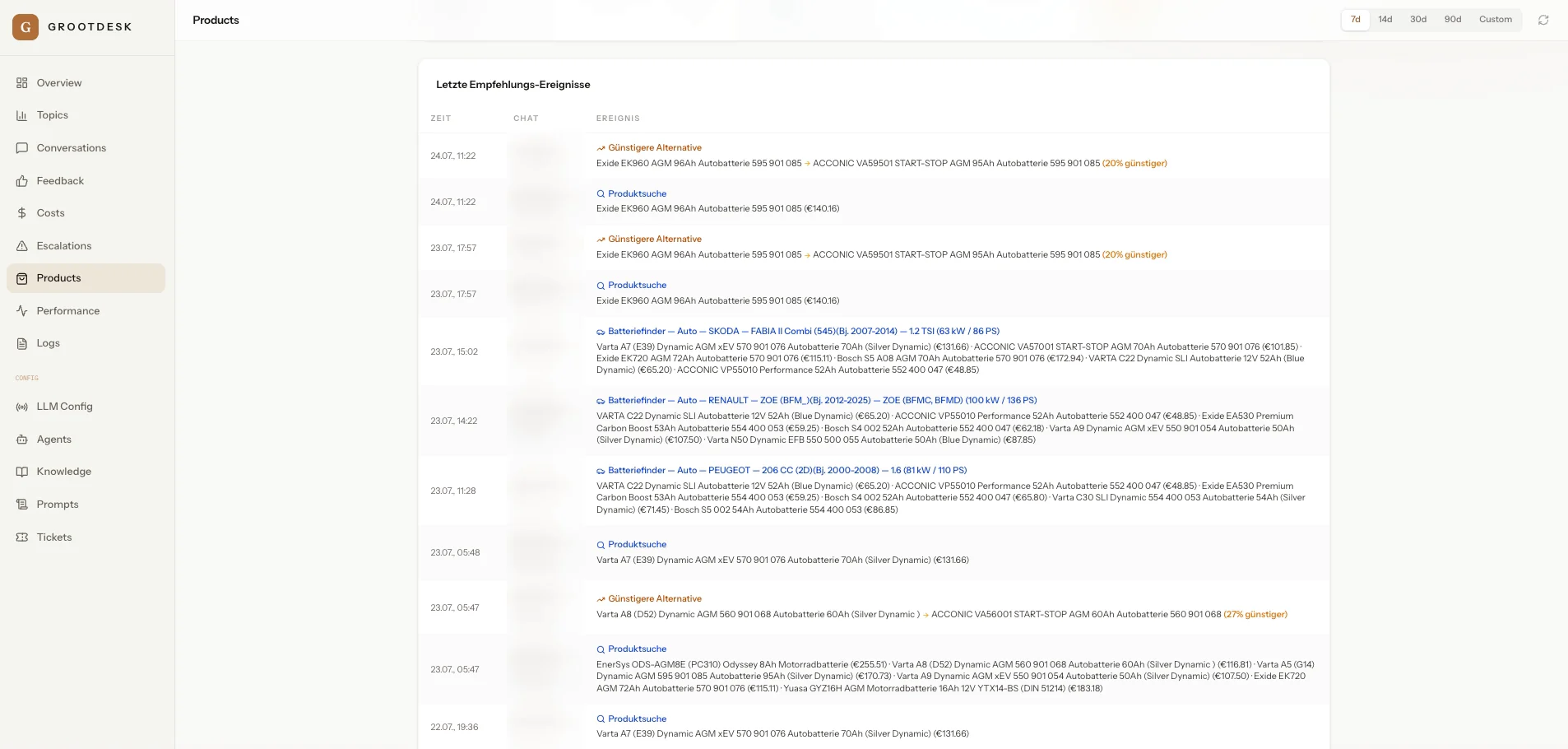
Recommendation feed — live and traceable
A running log of what the agent recommended and when — cheaper alternatives, product searches and vehicle-fit matches — each tied back to its chat so you can audit every suggestion.
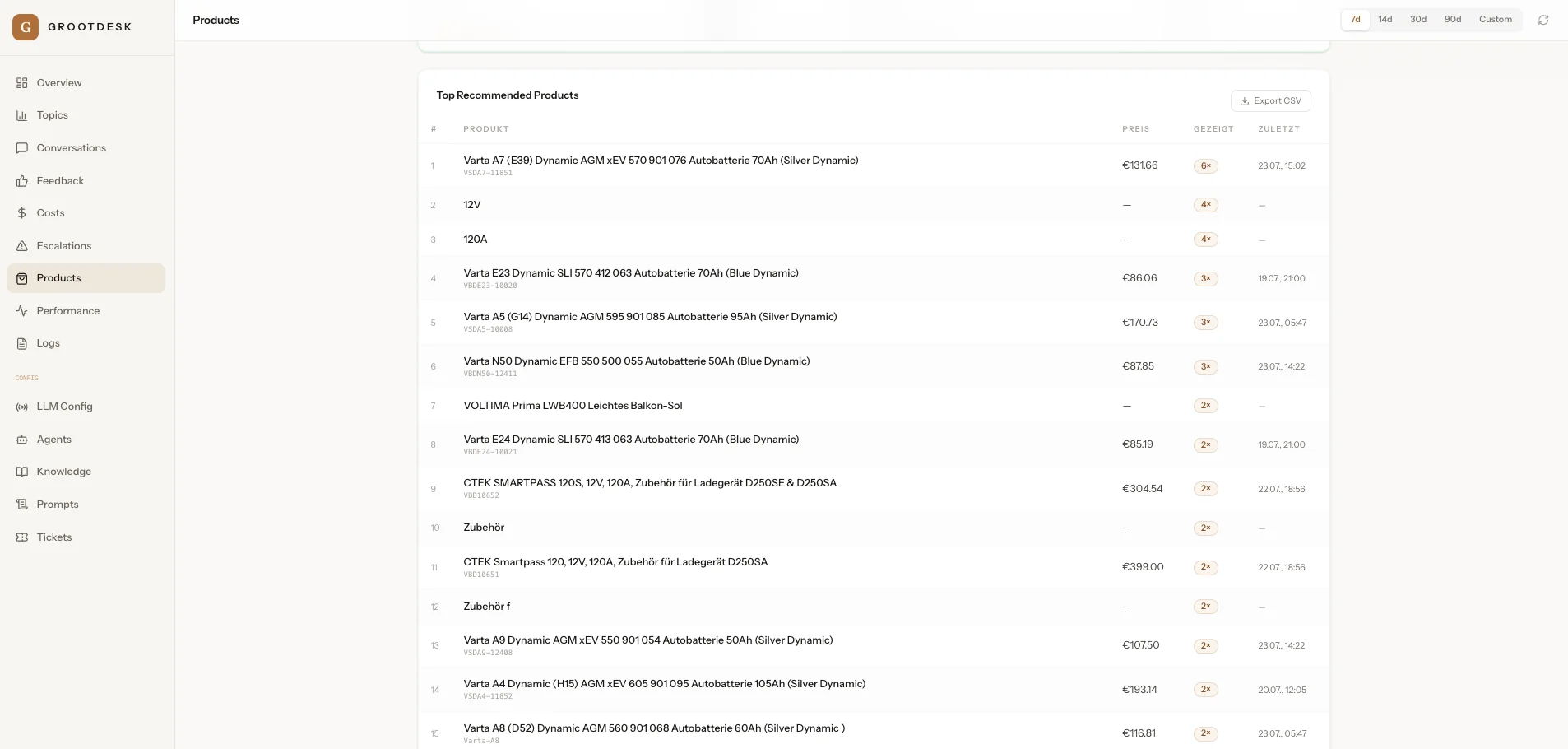
Top products — what the agent surfaces most
Which products get recommended most often, how many times they were shown, and their price — useful signal for merchandising, bundling and stock decisions.
Everything you can see and do
The dashboard has 14 areas. Here's what each one is for — in plain words.
👀 Watch what's happening
Overview
Your morning glance: how many chats, how many solved without a human, average speed and cost.
Conversations
Read any chat in full, search them all, and see exactly what the agent said and did.
Topics
What customers ask about most, grouped into themes — so you spot trends and gaps.
Logs
The detailed step-by-step record of everything, for when you want to dig in or troubleshoot.
💶 Money & speed
Costs
Exactly what the AI is spending — per day and per conversation. No bill-shock, ever.
Performance
Speed and quality: reply times, resolution rate, and how often the cache saves a call.
Products
The product suggestions the agent made — and the extra sales they helped drive.
Feedback
Thumbs up / down from customers on answers, so you see what's landing and what isn't.
🛟 Quality & safety
Escalations
Every chat handed to a human — and the reason why — so nothing slips through.
Tickets
Support tickets the agent created or escalated, with their current status.
Why this matters
Together, these three give you a complete safety net: you can always see what got escalated, why, and what happened next.
🎛️ Make it yours — no code
Agents
Set what the agent is allowed to do and how it behaves — the guardrails, in a few clicks.
LLM Config
Pick which AI model to use and plug in your keys. Switch anytime, no developer needed.
Prompts
Adjust the agent's tone and instructions, with versions saved so you can always roll back.
Knowledge
Manage what the agent knows: sync your content and refresh the knowledge base on demand.
Give your team its time back.
Join the early-access programme — founder pricing locked for 12 months, live on your store in under an hour.